More Projects
59 in total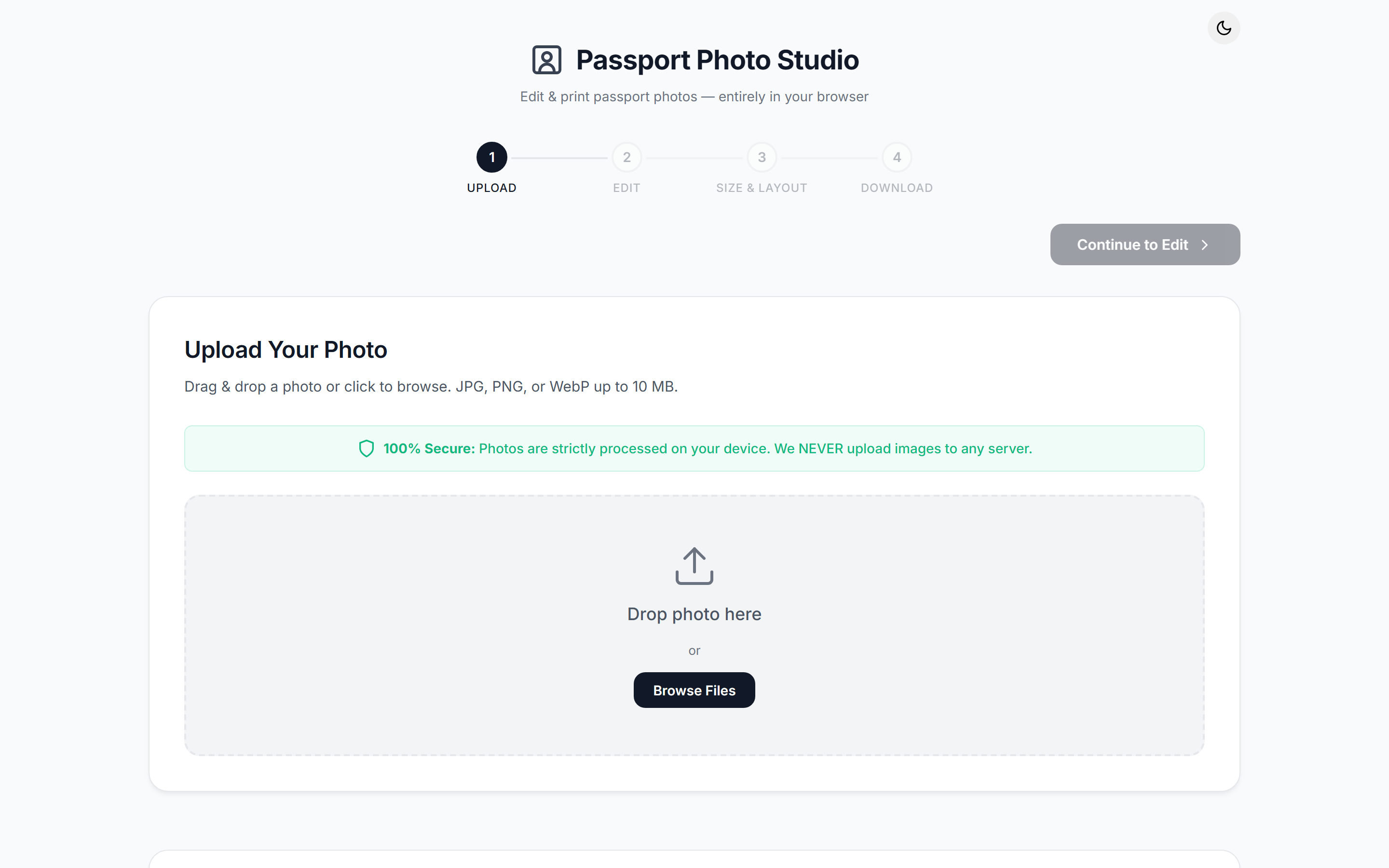
PhotoMaker — Passport Photos
2026
Generates print-ready passport photo sheets in the browser. @imgly/background-removal cuts the subject out client-side via WASM, a layout engine tiles the crops to standard sheet presets, and jsPDF writes the sheet — the image never leaves the device.
 JavaScript
 Vite
Vite @imgly/background-removal
 WebAssembly
 jsPDF
jsPDFGetting passport photos means a trip to a studio, and the online alternatives all start by asking you to upload your face to somebody's server. This one does the whole job in the tab: segmentation, editing, sheet layout and PDF generation all run on the client, and no image ever leaves the device. It runs at mypassportphoto.online.
The reason most browser tools stop short of this is that the last step is a printing problem, not an image problem. A photo that looks right on screen is worthless if it comes out of the lab at 48mm instead of 51. Getting that right means never working in pixels: the whole layout path is millimetres at a fixed 300 DPI, and pixels only appear at the moment a canvas has to be rasterised. Everything else in the app is arranged around holding that.
The pipeline
Four steps, with a stepper across the top that tracks completed and active states.
- Upload. Drag-and-drop or file picker, restricted to JPEG, PNG and WebP under 10MB, with the source dimensions shown back before you commit to the image.
- Cutout.
@imgly/background-removalruns the segmentation model locally through WASM against a canvas blob, reporting progress as it goes. The progress callback distinguishes the weights download from the inference pass, so the first run says "Downloading AI model" rather than sitting at nothing for several seconds. The transparent result is then composited over a flat colour, because the required background colour varies by document. - Edit. A canvas editor with brightness and contrast as a per-pixel linear transform
(
val * c + 128 * (1 - c)for contrast, an offset for brightness), arbitrary-angle rotation rather than 90-degree steps, zoom and pan, and a ratio-locked crop with draggable handles and a dimmed mask outside the selection. Fully transparent pixels are skipped in every loop so the cutout edge stays clean. - Enhance. One button, and no model behind it. Three passes run in order: an auto-levels stretch that sorts every non-transparent channel value and clips the bottom and top half percent before rescaling to full range, a saturation lift of 1.15 around luma, then an unsharp mask that blurs a copy at 1.5px and blends the difference back at 0.6 strength. The levels pass is what actually rescues a photo taken against a dim wall; the other two make it look deliberate.
- Undo/redo. The editor snapshots its full parameter set on every committed change and walks an index through a capped history array, so sliders can move freely while only settled values become undo points. Wheel zoom debounces its snapshot by 300ms for the same reason. The buttons for it ship disabled in the current build; the machinery is there and the wiring is not.
- Layout. The engine works in millimetres at 300 DPI. It takes the photo size and page,
solves
floor((usable + gap) / (photo + gap))for columns and rows against a 10mm margin and a configurable gutter, then centres the resulting grid and reports how many photos fit. On A4 at the default 2mm gutter that is 3 by 5 for a 51mm passport photo and 5 by 5 for a 35x45 Aadhaar photo. - Cut marks. 5mm ticks drawn 1mm off each photo corner, because the sheet gets trimmed with scissors and the seams between adjacent photos are otherwise invisible. They are drawn twice, once as canvas strokes for the preview and once as jsPDF lines for the file, because the preview and the print are two different renderers and neither can be derived from the other.
- Export. jsPDF is constructed with
unit: 'mm'and the page passed as literal dimensions, so a 51mm photo prints at 51mm. The edited photo is rasterised once at target pixel size and the same JPEG data URL is placed at every grid position, which keeps a full sheet to one embedded image instead of thirty.
The unit discipline
Two constants do most of the work: DPI = 300 and a millimetre-to-pixel helper that rounds
mm / 25.4 * dpi. Page sizes are stored as millimetre pairs, photo presets are stored as
millimetre pairs, the layout solver returns millimetre positions, and jsPDF is told the page
is in millimetres. The single conversion to pixels happens when the edited photo is baked into
a raster at mmToPx(width) by mmToPx(height) for embedding, which for a 51mm photo is a
602px square.
The preview is the one place that deliberately breaks the rule. It computes its own display scale from the container width against the page's millimetre height, so the on-screen sheet is a proportional drawing rather than a measurement. That is the correct tradeoff: the preview exists to answer "how many fit and where", and the PDF is the thing that has to be right.
Presets and options
Indian passport at 51x51mm, Aadhaar at 35x45, PAN and stamp size at 25x30, Indian visa at 50x50, US passport at 51x51, plus a custom size that accepts any width and height. Indian passport is selected on load, since that is what most people arrive for. Page size can be A4, A3, Letter or Legal; gutter, white border width, border colour and number of copies are all adjustable, with the sheet preview re-rendering on every change and a light/dark theme toggle over the whole thing.
The border option is not decoration. Printing a photo with a white margin baked into the cell means the scissors line has slack in it, which is the difference between a usable photo and one with a sliver of the next photo down its edge. When a border is set, the cell is filled with the border colour first and the image is inset by the border width on all four sides, in both the preview and the PDF.
Vite build, no framework, six modules with one job each: uploader, editor, background, size
presets, layout engine, PDF export, over a constants file that every one of them imports.
State is a single plain object in the entry module, and the step router is a function that
toggles which panel is hidden. Theme is a data-theme attribute on the root with the dark
palette as the bare :root default, read from localStorage and falling back to the system
preference.
Honest limits
There is no face detection and no automatic crop. The requirements table in the page copy describes head height and eye line, and nothing in the code checks either; the crop is entirely the user's judgement against a rule-of-thirds overlay. Calling the output compliant is a claim about the presets and the print size, not about the composition.
The segmentation weights are fetched from the library's public CDN on first use rather than being self-hosted, which is the one thing in the flow that needs the network. The photo itself still never goes anywhere.
All the pixel work runs synchronously on the main thread, with no worker and no
OffscreenCanvas. The enhance pass sorts the whole non-transparent channel array three times,
so on a large phone photo the tab visibly stalls, which is why the button flips to "Enhancing"
behind a deliberate timeout before the work starts. There is no dimension cap to go with the
10MB file cap, so the ceiling is whatever the device's canvas memory allows. Rotation keeps the
original frame rather than expanding it, so an angled crop clips corners and leaves transparent
wedges, which the PDF path silently fills white.